
All-in-One B2B eCommerce and Wholesale Solution
Everything you need to sell wholesale online — from pricing and quotes to fast bulk ordering and customer management.
Request for Quote with built-in messaging
Product Variation Table for Bulk Ordering
Custom Catalogs Based on Site Visitor
One-Click Reorders for Repeat Bulk Buyers
Allow Buyers to Set Buying Permissions for Team Members
Quote Reviews and Approval System
Request for Sample Button on Product Page
B2B Payment Methods e.g. Net Terms
Hide Pricing/Catalogs from Guest Visitors
Allow Buyers to Share Cart with their Team
Email Triggers on Quote Status
Custom Pricing Based on Site Visitor
Wholesale Order Forms for Bulk Buyers
Sign Up Forms with Approval System
Credit Limit for Buyers
Downloadable PDFs on Product Pages
Custom MOQs and MOVs Based on Site Visitor
Product Tables with Search and Filters
Buyer Account Management Features
Robust Features for your Wholesale eCommerce Portal
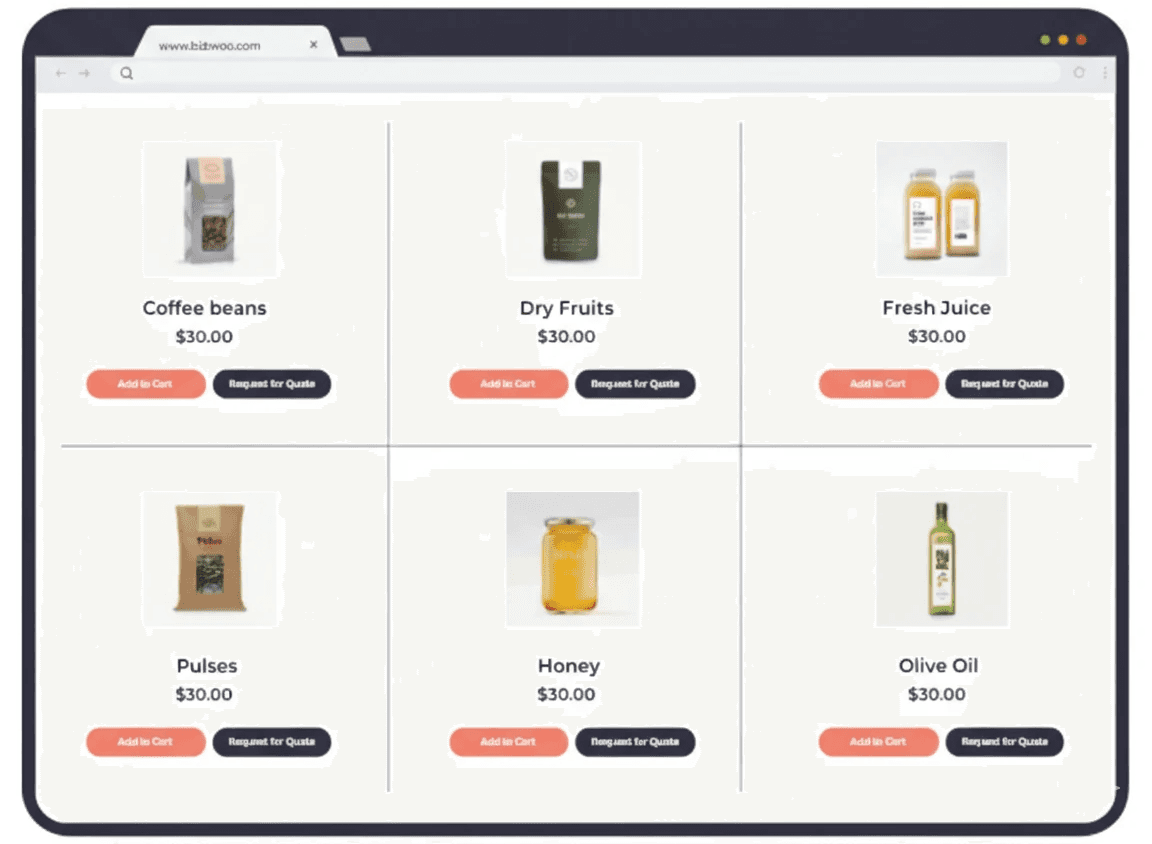
Quote Management
Allow buyers to request quotes for large orders, negotiate pricing, and convert approved quotes into orders — all inside your store.
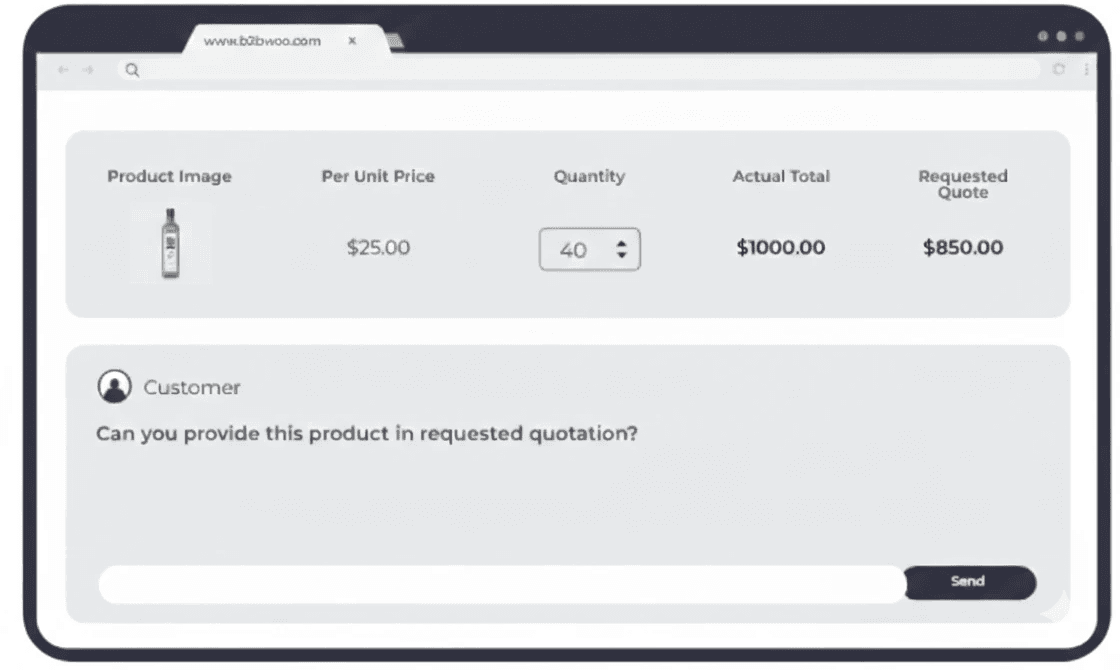
Streamlined Quotation Workflow
Initiate Conversations: Activate this feature to empower your customers to request custom quotes.
Negotiate Seamlessly: Customers can inquire about pricing, request revisions, and finalize deals—all in a fluid, user-friendly interface. 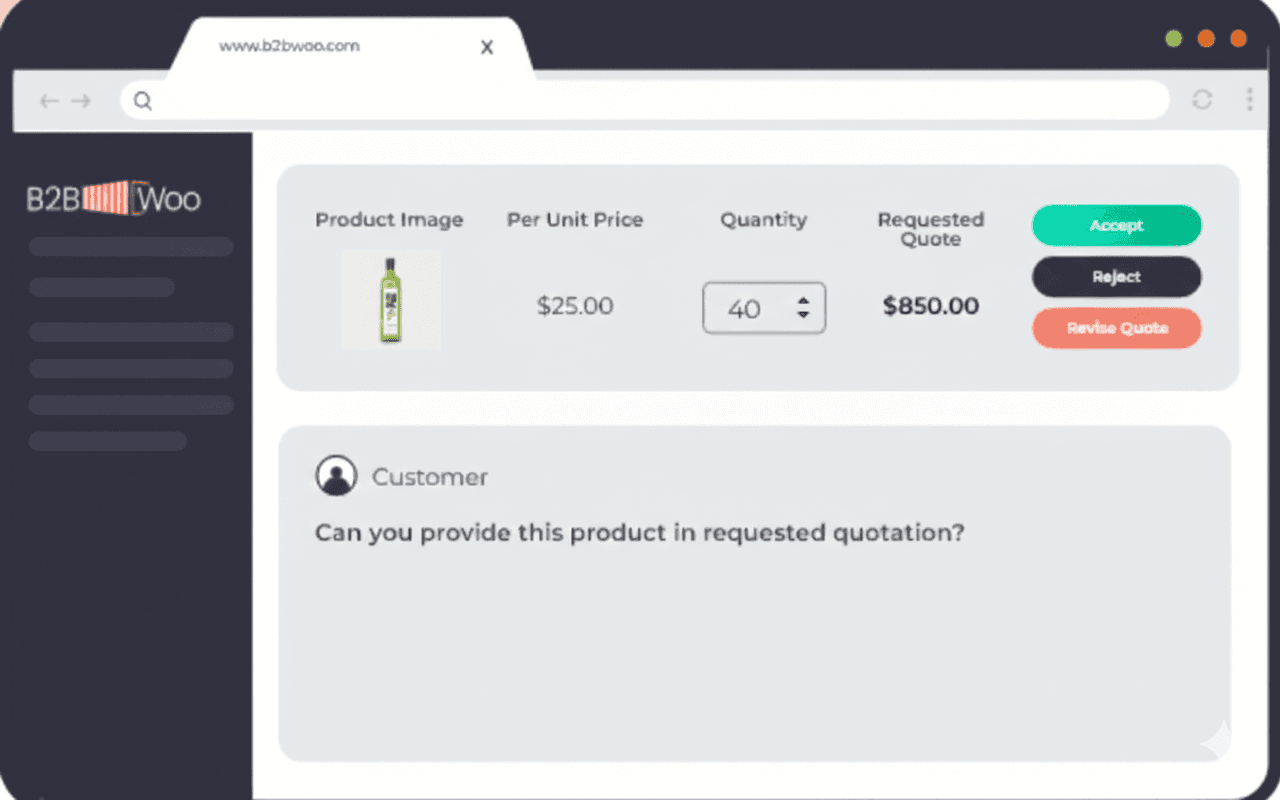
Dedicated Quotation Module on the Admin Panel
Gain complete control over your quotations with a centralized admin panel, designed for efficiency.
Unified Hub: Access and manage all quotation requests in one place.
Quick Actions: Review, approve, or deny quotes with just a few clicks.
Add Request for Quote Functionality to Product Pages
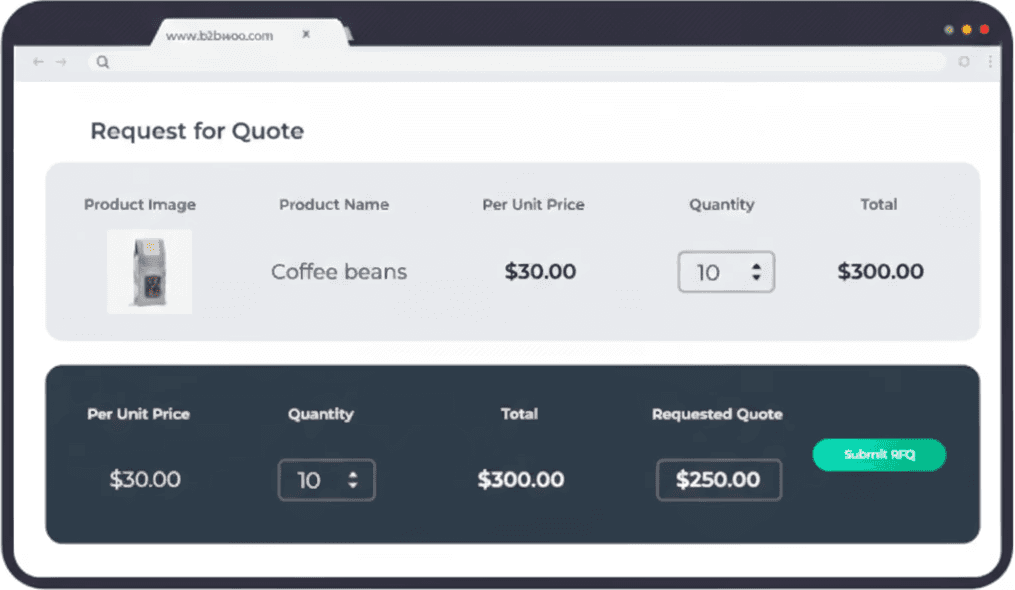
Stop settling for generic price tags. Our RFQ feature allows you to offer custom pricing for wholesale orders, directly from the product page.
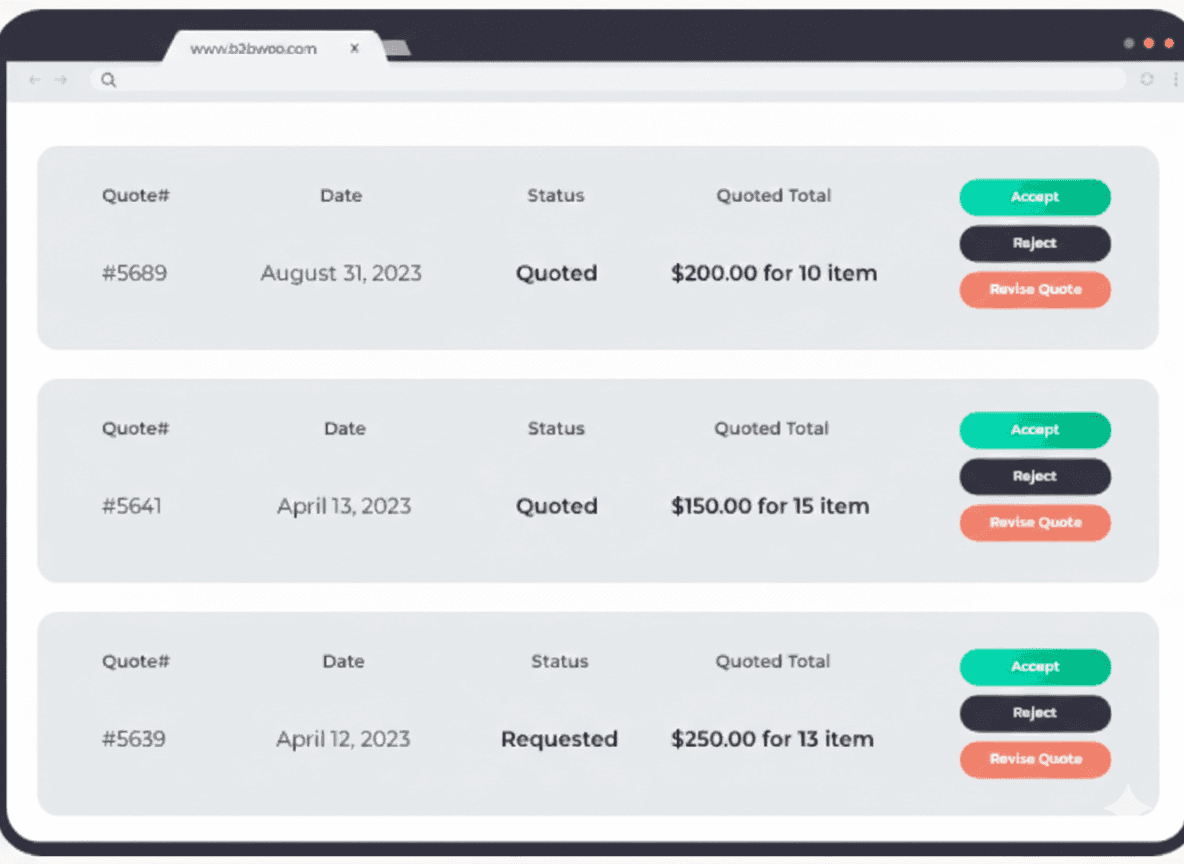
Quotation Section on Customer’s Account Dashboard
Offer your customers unparalleled visibility into their quotes with a dedicated section in their account dashboard.
Review and Act: Customers can review, accept, reject, or request revisions on their quotes.
Stay Informed: Automatic email notifications keep both parties updated throughout the quotation process.
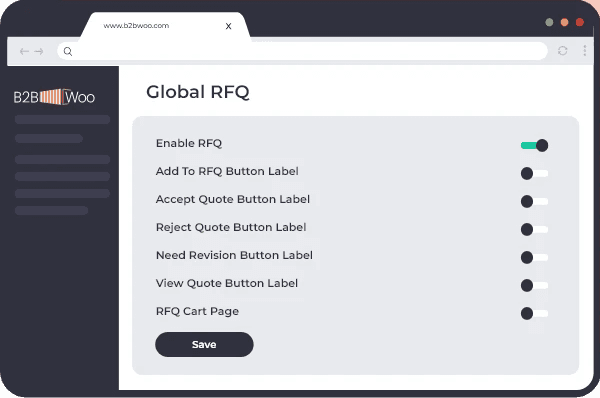
Global or Product-Specific RFQ Activation
Take complete control over how and where the Request for Quote (RFQ) button appears on your store. Whether you want to activate RFQ for your entire catalog or zero in on specific products or categories, we’ve got you covered.
Quote Management
Allow buyers to request quotes for large orders, negotiate pricing, and convert approved quotes into orders — all inside your store.
Streamlined Quotation Workflow
Initiate Conversations: Activate this feature to empower your customers to request custom quotes.
Negotiate Seamlessly: Customers can inquire about pricing, request revisions, and finalize deals—all in a fluid, user-friendly interface. Dedicated Quotation Module on the Admin Panel
Gain complete control over your quotations with a centralized admin panel, designed for efficiency.
Unified Hub: Access and manage all quotation requests in one place.
Quick Actions: Review, approve, or deny quotes with just a few clicks.
Add Request for Quote Functionality to Product Pages
Stop settling for generic price tags. Our RFQ feature allows you to offer custom pricing for wholesale orders, directly from the product page.
Quotation Section on Customer’s Account Dashboard
Offer your customers unparalleled visibility into their quotes with a dedicated section in their account dashboard.
Review and Act: Customers can review, accept, reject, or request revisions on their quotes.
Stay Informed: Automatic email notifications keep both parties updated throughout the quotation process.
Global or Product-Specific RFQ Activation
Take complete control over how and where the Request for Quote (RFQ) button appears on your store. Whether you want to activate RFQ for your entire catalog or zero in on specific products or categories, we’ve got you covered.
Quote Management
Allow buyers to request quotes for large orders, negotiate pricing, and convert approved quotes into orders — all inside your store.
Add Request for Quote Functionality to Product Pages
Stop settling for generic price tags. Our RFQ feature allows you to offer custom pricing for wholesale orders, directly from the product page.
Streamlined Quotation Workflow
Initiate Conversations: Activate this feature to empower your customers to request custom quotes.
Negotiate Seamlessly: Customers can inquire about pricing, request revisions, and finalize deals—all in a fluid, user-friendly interface. Dedicated Quotation Module on the Admin Panel
Gain complete control over your quotations with a centralized admin panel, designed for efficiency.
Unified Hub: Access and manage all quotation requests in one place.
Quick Actions: Review, approve, or deny quotes with just a few clicks.
Quotation Section on Customer’s Account Dashboard
Offer your customers unparalleled visibility into their quotes with a dedicated section in their account dashboard.
Review and Act: Customers can review, accept, reject, or request revisions on their quotes.
Stay Informed: Automatic email notifications keep both parties updated throughout the quotation process.
Global or Product-Specific RFQ Activation
Take complete control over how and where the Request for Quote (RFQ) button appears on your store. Whether you want to activate RFQ for your entire catalog or zero in on specific products or categories, we’ve got you covered.
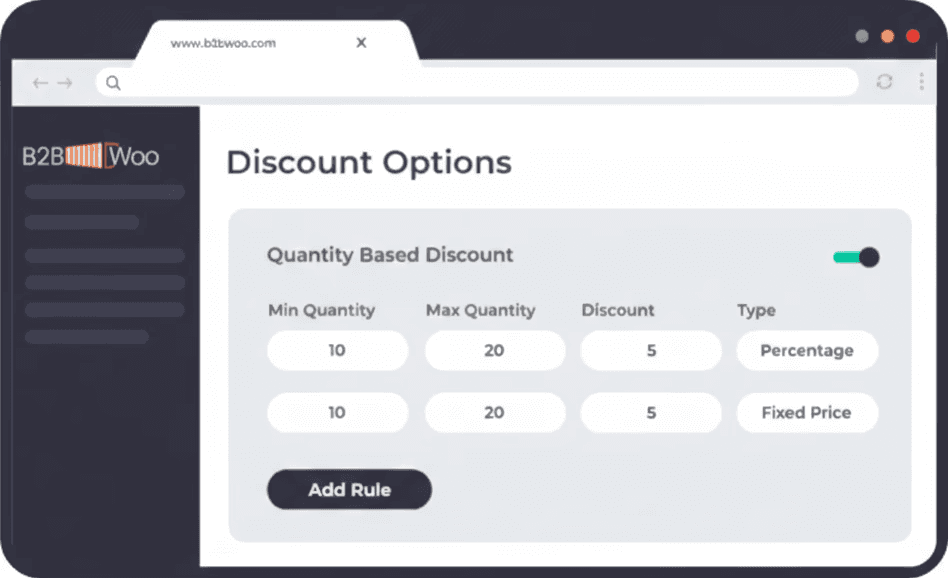
Dynamic B2B Pricing
Create custom price lists per role, region, or customer. Apply discounts, fixed prices, tiered pricing, and update everything via CSV in bulk.
Dynamic Discounts to Drive Engagement
Reward those who do business with you by offering custom discounts—either as fixed amounts or percentages. Extend B2B - AIO allows you to set specific conditions that trigger these discounts, ensuring that special pricing goes to the customers who truly merit it.
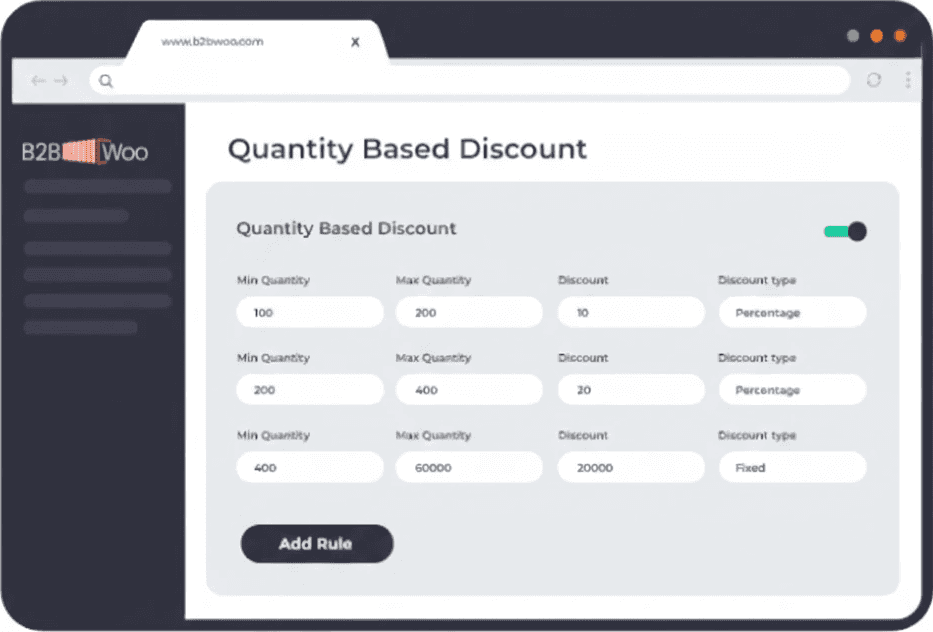
Volume Discounts to Fuel Business Growth
Encourage bulk purchasing and build customer loyalty with tiered volume discounts. Extend B2B - AIO enables you to set varying discount levels that kick in as customers place larger orders, incentivizing them to buy more while strengthening their relationship with your brand.
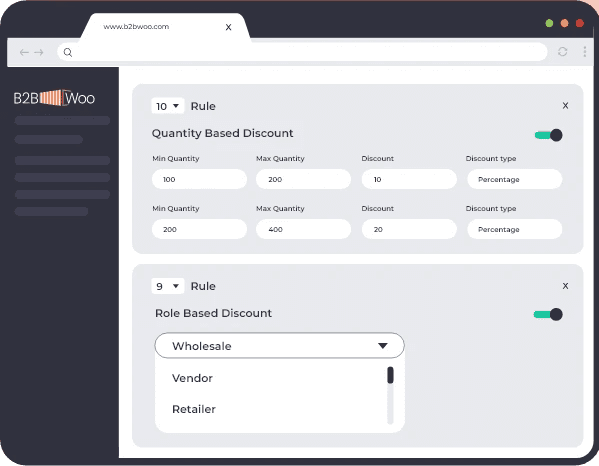
Rule Prioritization for Conflict-Free Pricing
In B2B eCommerce, complex scenarios are a given. That's why Extend B2B - AIO comes with a rule prioritization feature. Should there be conflicting pricing rules, you can easily set guidelines on which ones take precedence, ensuring a seamless and fair pricing experience for all parties involved.
Dynamic B2B Pricing
Create custom price lists per role, region, or customer. Apply discounts, fixed prices, tiered pricing, and update everything via CSV in bulk.
Dynamic Discounts to Drive Engagement
Reward those who do business with you by offering custom discounts—either as fixed amounts or percentages. Extend B2B - AIO allows you to set specific conditions that trigger these discounts, ensuring that special pricing goes to the customers who truly merit it.
Volume Discounts to Fuel Business Growth
Encourage bulk purchasing and build customer loyalty with tiered volume discounts. Extend B2B - AIO enables you to set varying discount levels that kick in as customers place larger orders, incentivizing them to buy more while strengthening their relationship with your brand.
Rule Prioritization for Conflict-Free Pricing
In B2B eCommerce, complex scenarios are a given. That's why Extend B2B - AIO comes with a rule prioritization feature. Should there be conflicting pricing rules, you can easily set guidelines on which ones take precedence, ensuring a seamless and fair pricing experience for all parties involved.
Dynamic B2B Pricing
Create custom price lists per role, region, or customer. Apply discounts, fixed prices, tiered pricing, and update everything via CSV in bulk.
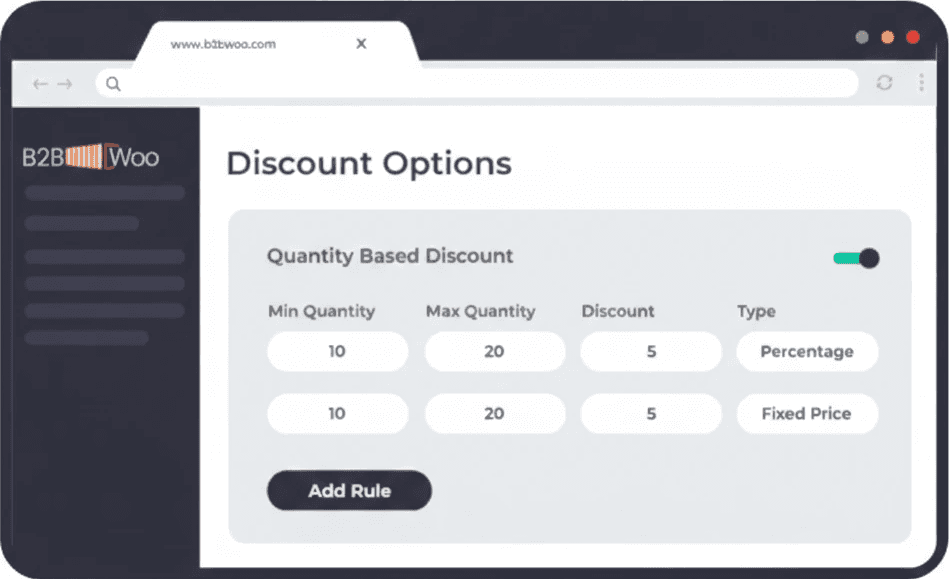
Dynamic Discounts to Drive Engagement
Reward those who do business with you by offering custom discounts—either as fixed amounts or percentages. Extend B2B - AIO allows you to set specific conditions that trigger these discounts, ensuring that special pricing goes to the customers who truly merit it.
Volume Discounts to Fuel Business Growth
Encourage bulk purchasing and build customer loyalty with tiered volume discounts. Extend B2B - AIO enables you to set varying discount levels that kick in as customers place larger orders, incentivizing them to buy more while strengthening their relationship with your brand.
Rule Prioritization for Conflict-Free Pricing
In B2B eCommerce, complex scenarios are a given. That's why Extend B2B - AIO comes with a rule prioritization feature. Should there be conflicting pricing rules, you can easily set guidelines on which ones take precedence, ensuring a seamless and fair pricing experience for all parties involved.
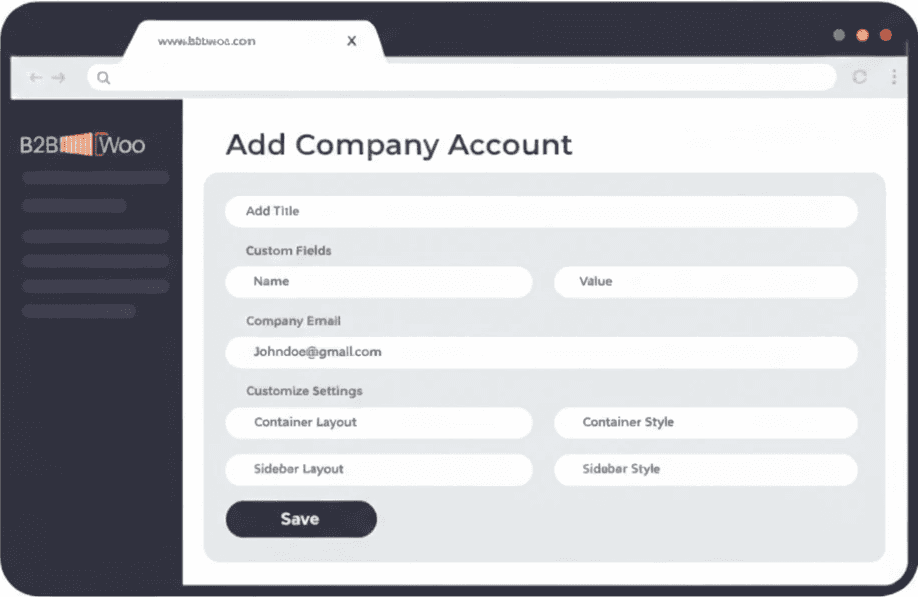
Company Account Management
Manage B2B buyers as companies, not just individual users. Add multiple users per company, assign roles and permissions, set purchase and credit limits, and track all company orders in one place.
Create Company Accounts with Ease
Go beyond individual transactions. Create dedicated company accounts, complete with customized dashboards offering varied features and capabilities to each account within the corporate umbrella.
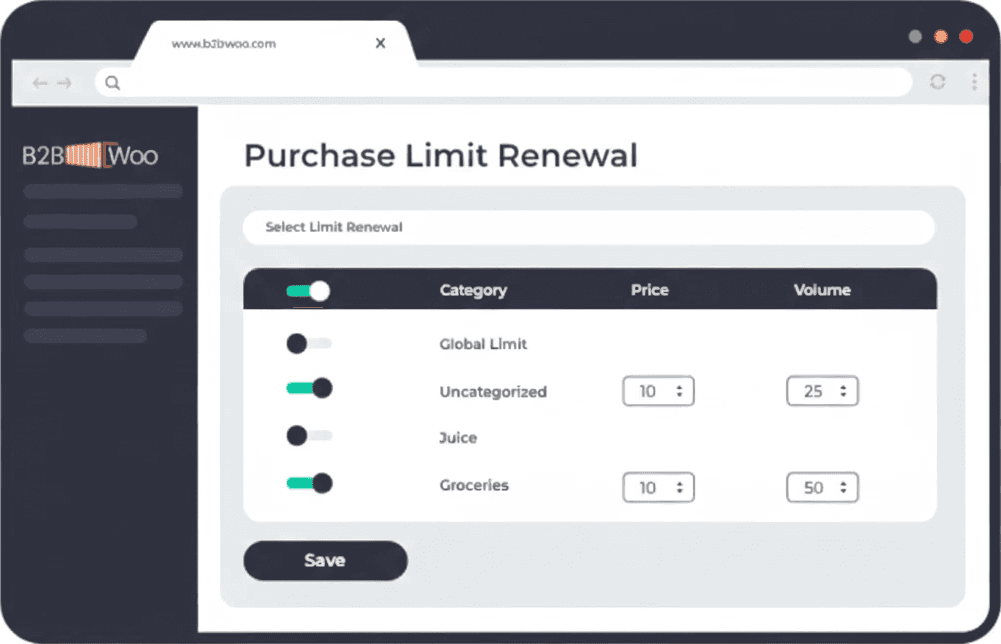
Credit Management, Simplified
Set credit limits for each company, allowing for real-time tracking of credit consumption. Companies can also view their credit status directly from their dashboard, adding an extra layer of financial transparency.
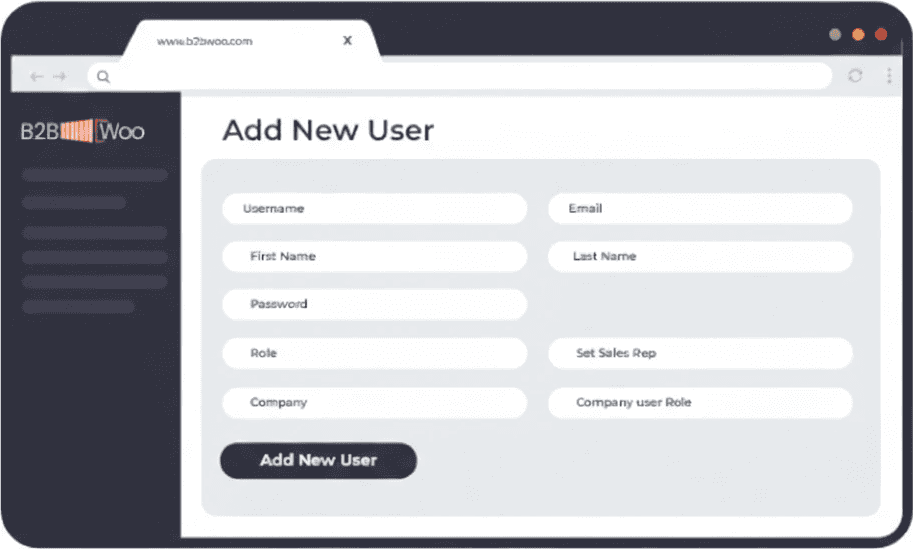
Customized User Roles
Your customers can add users to their account and assign them roles based on their position within the organization. With Extend B2B - AIO, hierarchical role management has never been simpler.
Fine-Grained Permission Controls
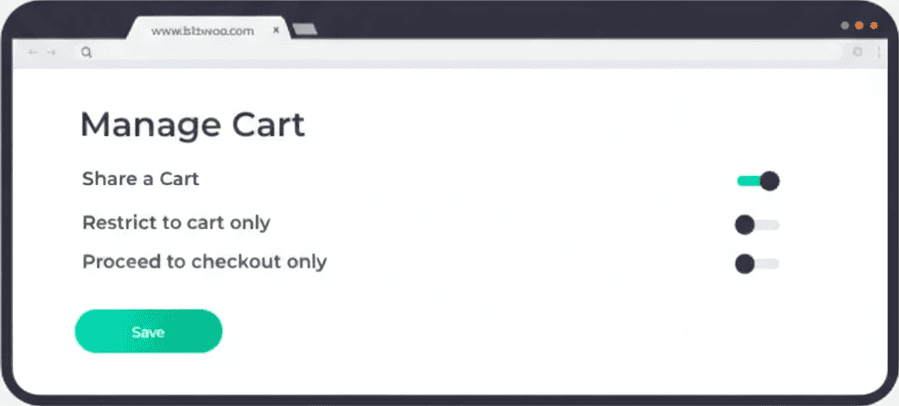
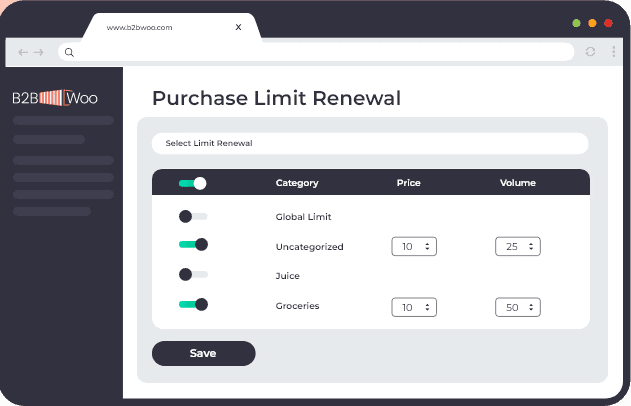
Company owners aren't just adding users; they're designating permissions. With Extend B2B - AIO, it's easy to set buying permissions, purchase price limits, order quantity restrictions, checkout restrictions and even category access for different team members.
Streamlined Cart Sharing and Approvals
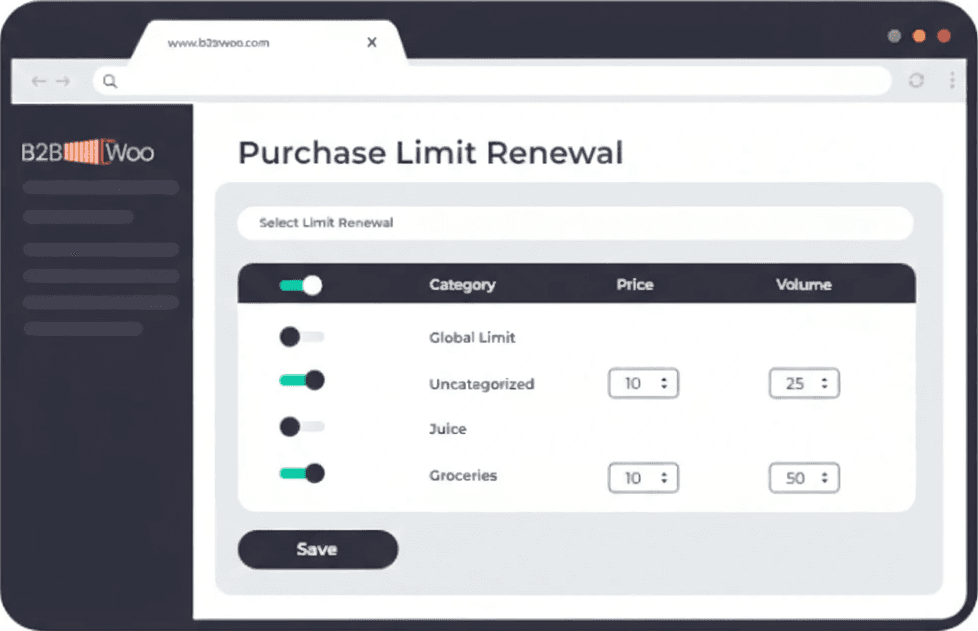
Close deals faster with cart sharing among team members. Users can share their cart contents for approval before finalizing a purchase. What's more, approvals are expedited through email notifications, allowing for immediate approval without even leaving the inbox.
Company Account Management
Manage B2B buyers as companies, not just individual users. Add multiple users per company, assign roles and permissions, set purchase and credit limits, and track all company orders in one place.
Create Company Accounts with Ease
Go beyond individual transactions. Create dedicated company accounts, complete with customized dashboards offering varied features and capabilities to each account within the corporate umbrella.
Credit Management, Simplified
Set credit limits for each company, allowing for real-time tracking of credit consumption. Companies can also view their credit status directly from their dashboard, adding an extra layer of financial transparency.
Customized User Roles
Your customers can add users to their account and assign them roles based on their position within the organization. With Extend B2B - AIO, hierarchical role management has never been simpler.
Fine-Grained Permission Controls
Company owners aren't just adding users; they're designating permissions. With Extend B2B - AIO, it's easy to set buying permissions, purchase price limits, order quantity restrictions, checkout restrictions and even category access for different team members.
Streamlined Cart Sharing and Approvals
Close deals faster with cart sharing among team members. Users can share their cart contents for approval before finalizing a purchase. What's more, approvals are expedited through email notifications, allowing for immediate approval without even leaving the inbox.
Company Account Management
Manage B2B buyers as companies, not just individual users. Add multiple users per company, assign roles and permissions, set purchase and credit limits, and track all company orders in one place.
Create Company Accounts with Ease
Go beyond individual transactions. Create dedicated company accounts, complete with customized dashboards offering varied features and capabilities to each account within the corporate umbrella.
Credit Management, Simplified
Set credit limits for each company, allowing for real-time tracking of credit consumption. Companies can also view their credit status directly from their dashboard, adding an extra layer of financial transparency.
Customized User Roles
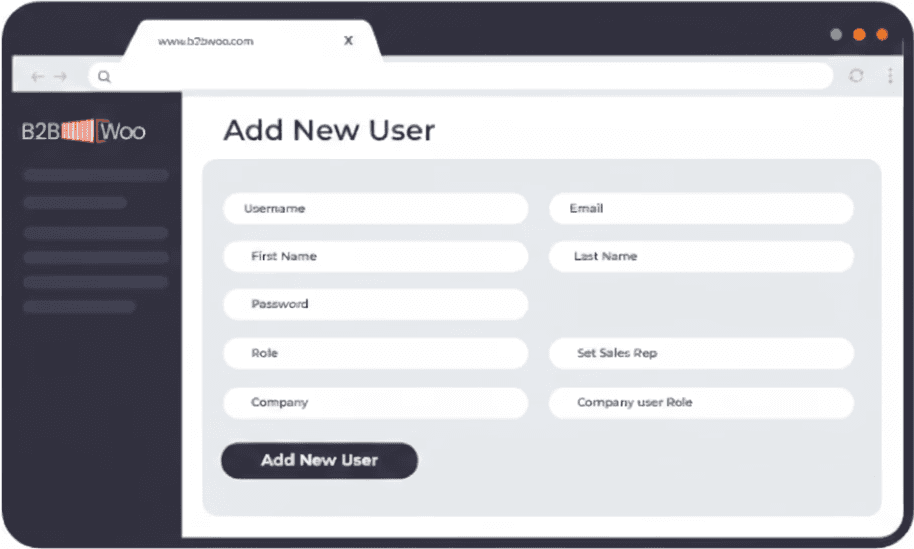
Your customers can add users to their account and assign them roles based on their position within the organization. With Extend B2B - AIO, hierarchical role management has never been simpler.
Fine-Grained Permission Controls
Company owners aren't just adding users; they're designating permissions. With Extend B2B - AIO, it's easy to set buying permissions, purchase price limits, order quantity restrictions, checkout restrictions and even category access for different team members.
Streamlined Cart Sharing and Approvals
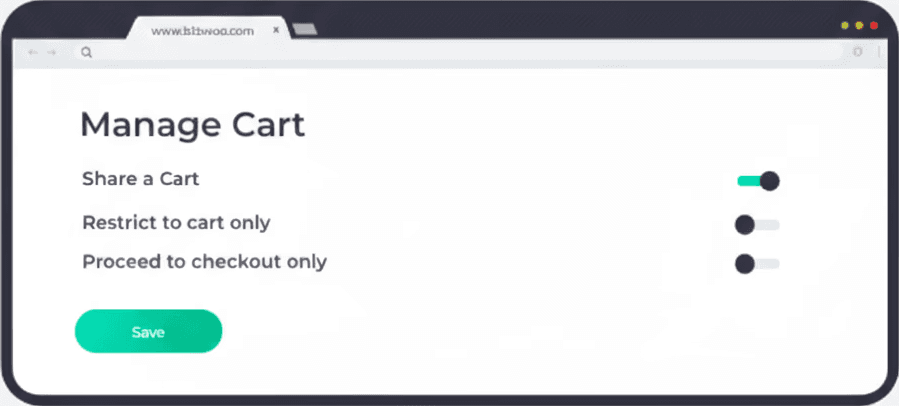
Close deals faster with cart sharing among team members. Users can share their cart contents for approval before finalizing a purchase. What's more, approvals are expedited through email notifications, allowing for immediate approval without even leaving the inbox.
Create Catalog Visibility Rules
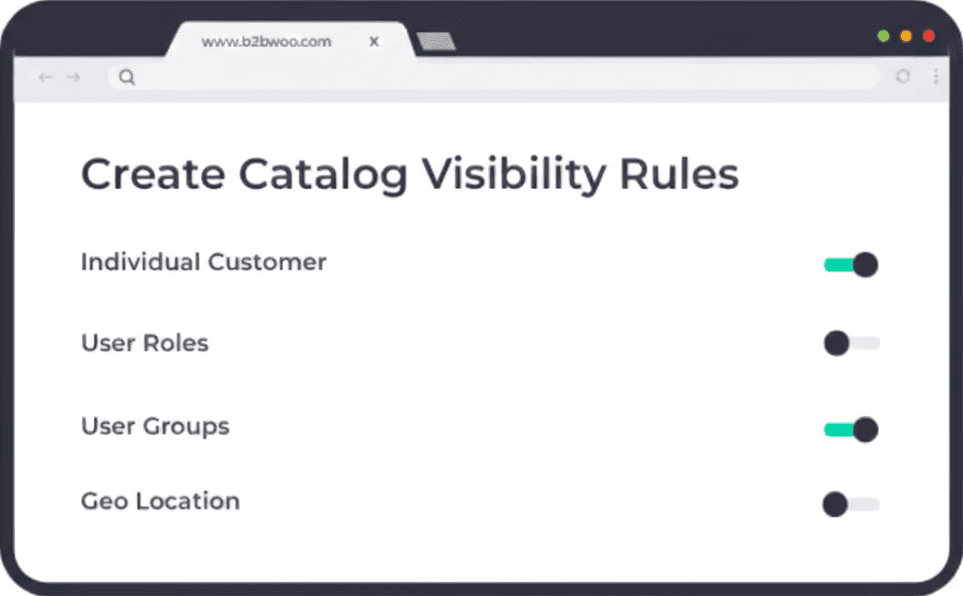
Extend B2B - AIO gives you complete control over the content you display to your customers. It enables you to create rules for product availability based on the following attributes.
– Individual Customers
– Geo Location
– User Roles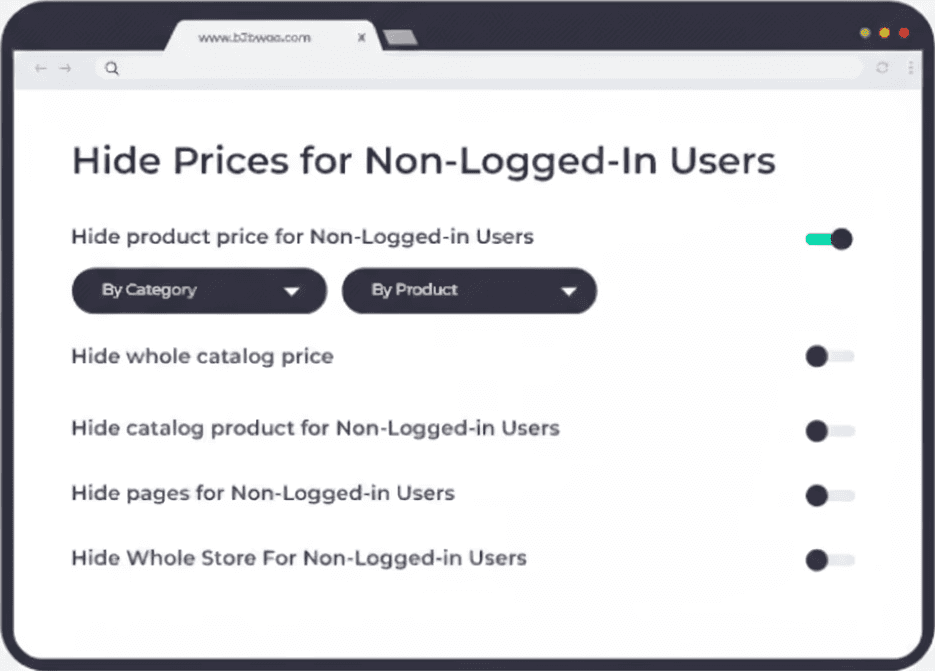
Hide Prices for Non-Logged-In Users
Prompt your customers to log in and take advantage of a personalized experience you create for them. You can hide the prices of products or categories you want only registered users to see.
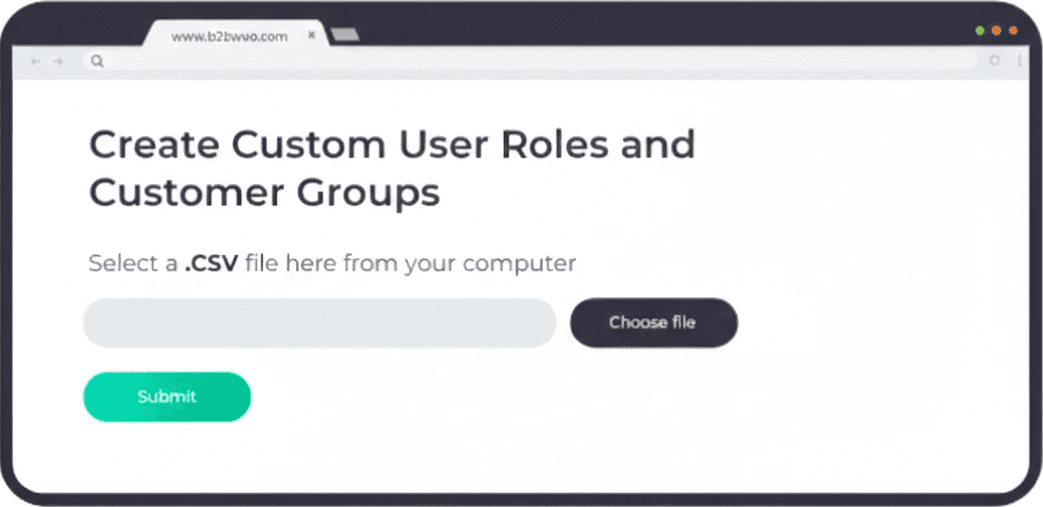
Create Custom User Roles and Customer Groups
The built-in user role module in Extend B2B - AIO enables you to create personalized user roles and customer groups giving you the flexibility to assign these custom roles and groups to individual customers. By doing so, you gain the ability to present tailored content and offerings to specific user segments
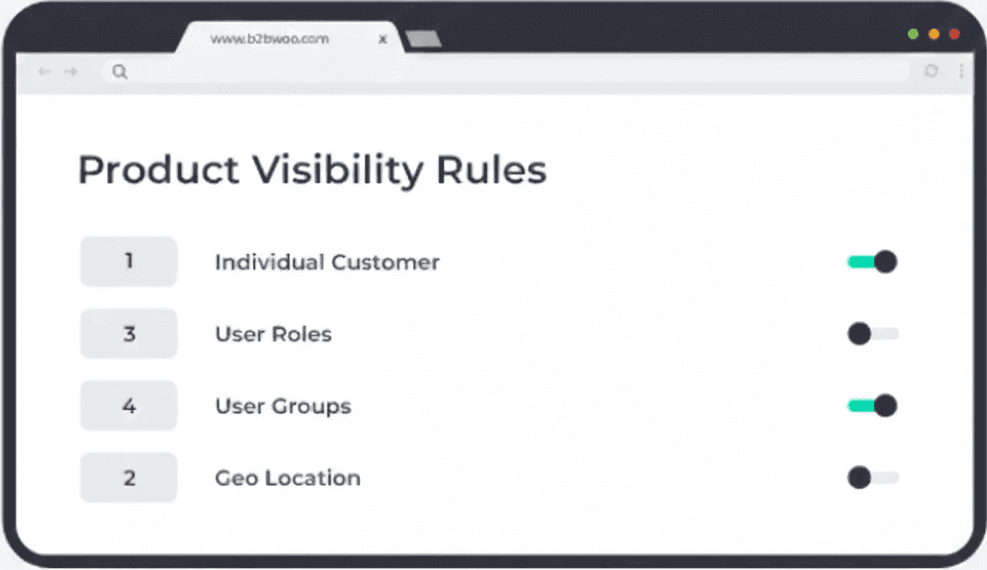
Set priorities for Conflicting Conditions
Extend B2B - AIO lets you control how your catalog is displayed by setting priorities for different rules. These priorities range from one to five and by assigning these priorities, you can make sure that conflicting conditions in the rules do not cause any confusion or unexpected results for your customers.
Create Catalog Visibility Rules
Extend B2B - AIO gives you complete control over the content you display to your customers. It enables you to create rules for product availability based on the following attributes.
– Individual Customers
– Geo Location
– User RolesHide Prices for Non-Logged-In Users
Prompt your customers to log in and take advantage of a personalized experience you create for them. You can hide the prices of products or categories you want only registered users to see.
Create Custom User Roles and Customer Groups
The built-in user role module in Extend B2B - AIO enables you to create personalized user roles and customer groups giving you the flexibility to assign these custom roles and groups to individual customers. By doing so, you gain the ability to present tailored content and offerings to specific user segments
Set priorities for Conflicting Conditions
Extend B2B - AIO lets you control how your catalog is displayed by setting priorities for different rules. These priorities range from one to five and by assigning these priorities, you can make sure that conflicting conditions in the rules do not cause any confusion or unexpected results for your customers.
Create Catalog Visibility Rules
Extend B2B - AIO gives you complete control over the content you display to your customers. It enables you to create rules for product availability based on the following attributes.
– Individual Customers
– Geo Location
– User Roles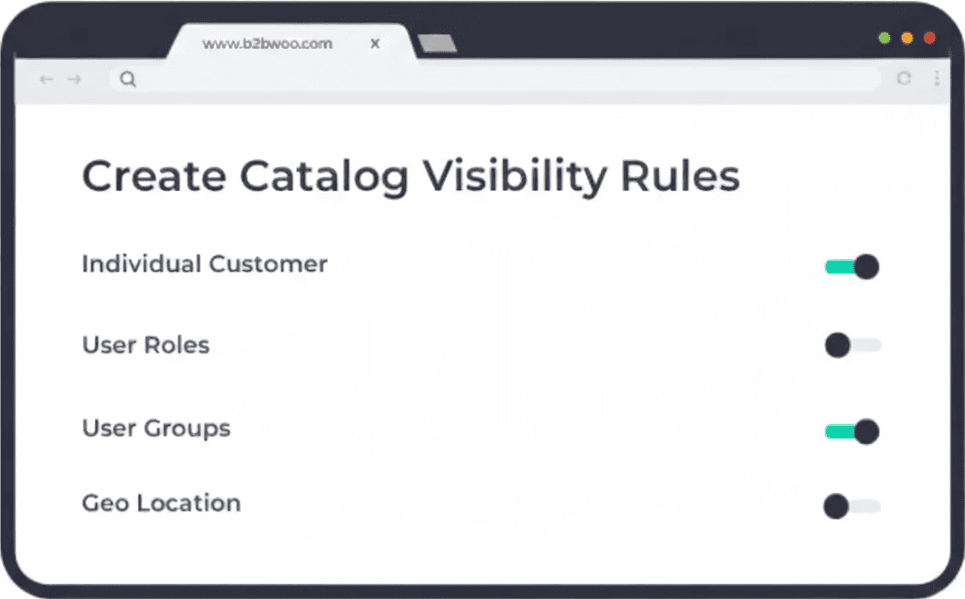
Hide Prices for Non-Logged-In Users
Prompt your customers to log in and take advantage of a personalized experience you create for them. You can hide the prices of products or categories you want only registered users to see.
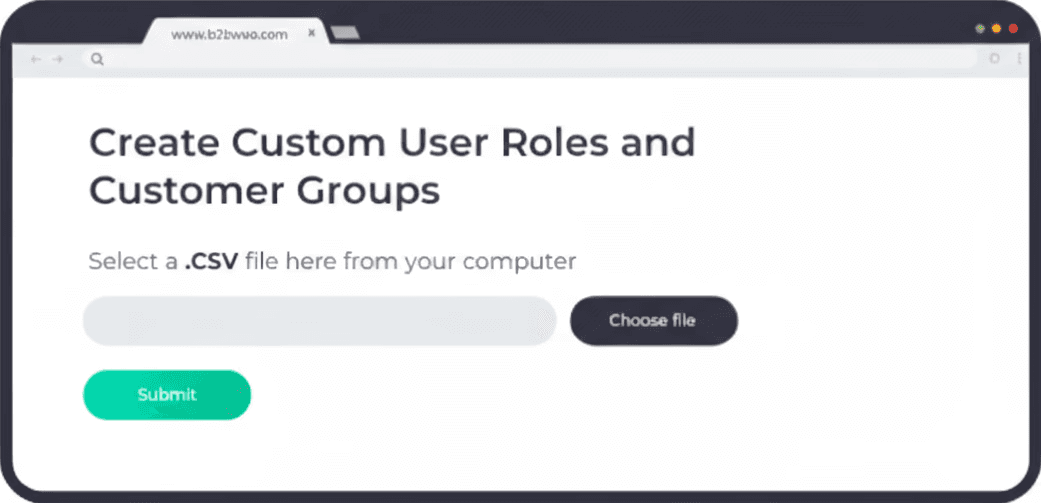
Create Custom User Roles and Customer Groups
The built-in user role module in Extend B2B - AIO enables you to create personalized user roles and customer groups giving you the flexibility to assign these custom roles and groups to individual customers. By doing so, you gain the ability to present tailored content and offerings to specific user segments
Set priorities for Conflicting Conditions
Extend B2B - AIO lets you control how your catalog is displayed by setting priorities for different rules. These priorities range from one to five and by assigning these priorities, you can make sure that conflicting conditions in the rules do not cause any confusion or unexpected results for your customers.
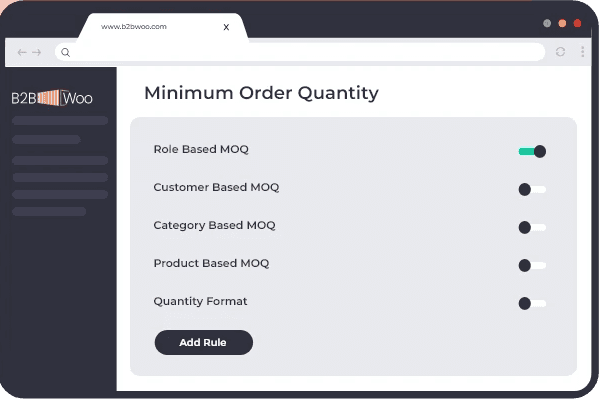
Set Minimum Order Quantities and/or minimum Order Values
Don't let profitability slide through the cracks. Extend B2B - AIO allows you to establish a minimum order quantity (MOQ) for your products, ensuring that each transaction meets your profitability targets. Ensure that each transaction not only meets quantity requirements but also hits a minimum value, further optimizing your profit margins.
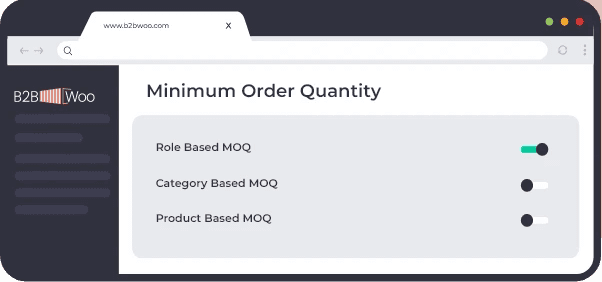
Create Complex MOQ Rules
Individual Customers: Tailor MOQ rules to each customer’s buying habits or tier.
Special Roles: Assign MOQ rules based on user roles like wholesalers, retailers, or VIP customers.
Categories: Set MOQ rules for entire categories, streamlining your bulk orders.
Products: Go granular by setting MOQs for individual products.
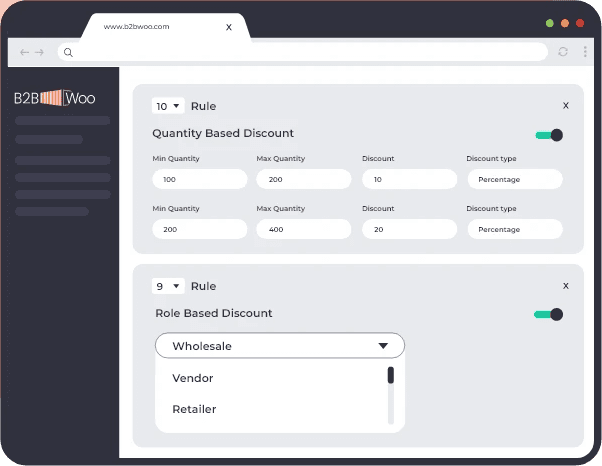
Rule Sequencing
Decide the order in which these rules should be applied for maximum impact.
Set Minimum Order Quantities and/or minimum Order Values
Don't let profitability slide through the cracks. Extend B2B - AIO allows you to establish a minimum order quantity (MOQ) for your products, ensuring that each transaction meets your profitability targets. Ensure that each transaction not only meets quantity requirements but also hits a minimum value, further optimizing your profit margins.
Create Complex MOQ Rules
Individual Customers: Tailor MOQ rules to each customer’s buying habits or tier.
Special Roles: Assign MOQ rules based on user roles like wholesalers, retailers, or VIP customers.
Categories: Set MOQ rules for entire categories, streamlining your bulk orders.
Products: Go granular by setting MOQs for individual products.
Rule Sequencing
Decide the order in which these rules should be applied for maximum impact.
Set Minimum Order Quantities and/or minimum Order Values
Don't let profitability slide through the cracks. Extend B2B - AIO allows you to establish a minimum order quantity (MOQ) for your products, ensuring that each transaction meets your profitability targets. Ensure that each transaction not only meets quantity requirements but also hits a minimum value, further optimizing your profit margins.
Create Complex MOQ Rules
Individual Customers: Tailor MOQ rules to each customer’s buying habits or tier.
Special Roles: Assign MOQ rules based on user roles like wholesalers, retailers, or VIP customers.
Categories: Set MOQ rules for entire categories, streamlining your bulk orders.
Products: Go granular by setting MOQs for individual products.
Rule Sequencing
Decide the order in which these rules should be applied for maximum impact.
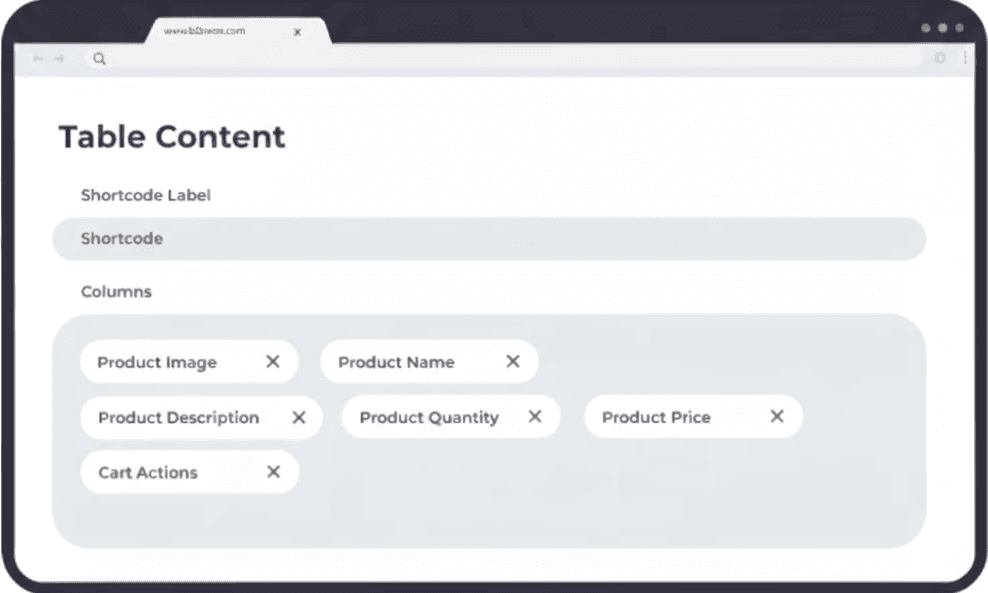
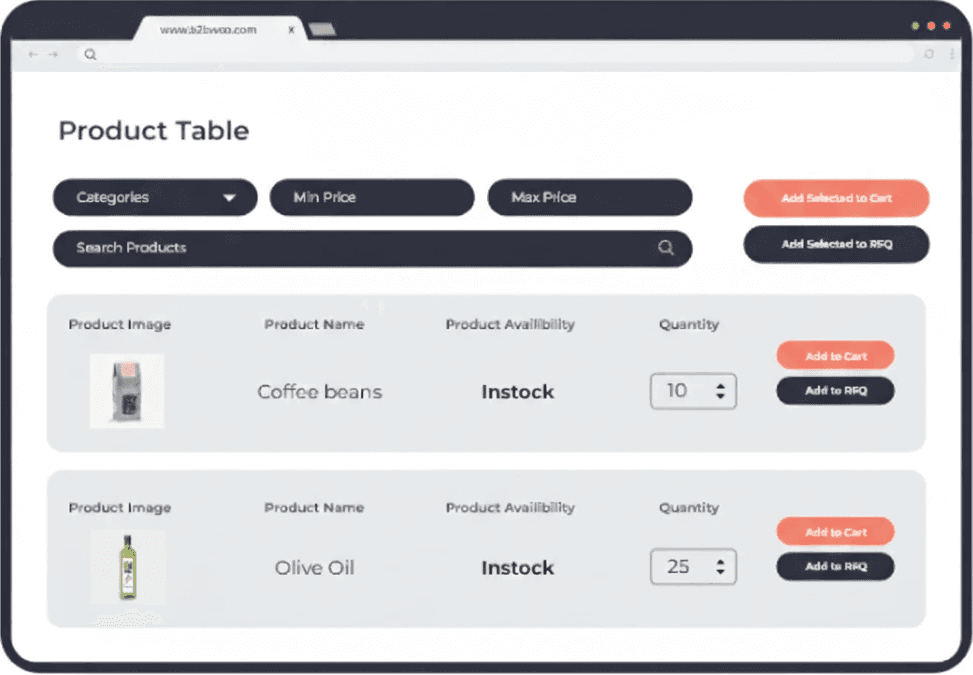
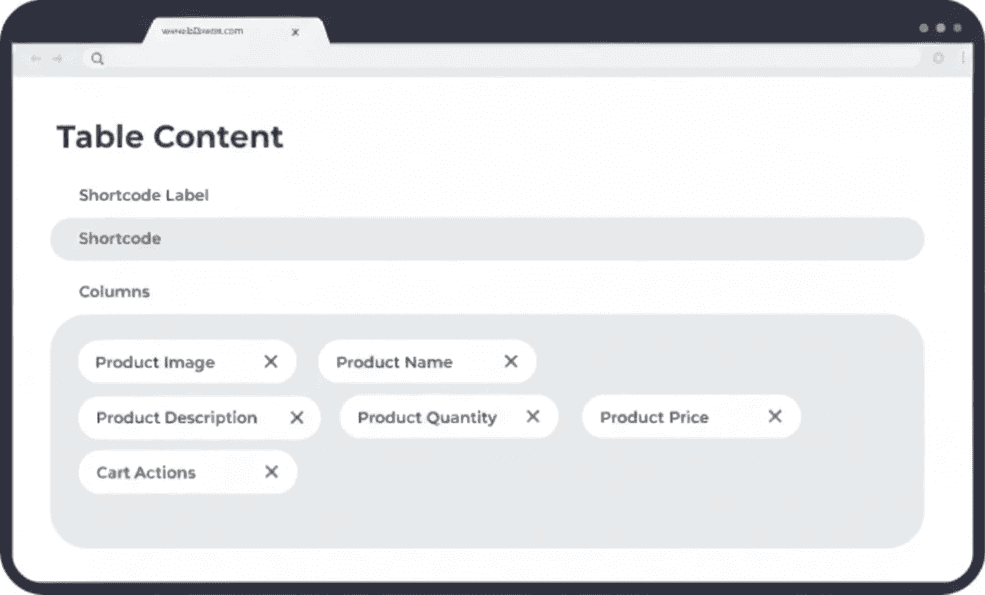
Tailored Product Tables
Different product lines require different approaches. Use our easy-to-use shortcode generator to create multiple, customized product tables for each of your unique product categories.
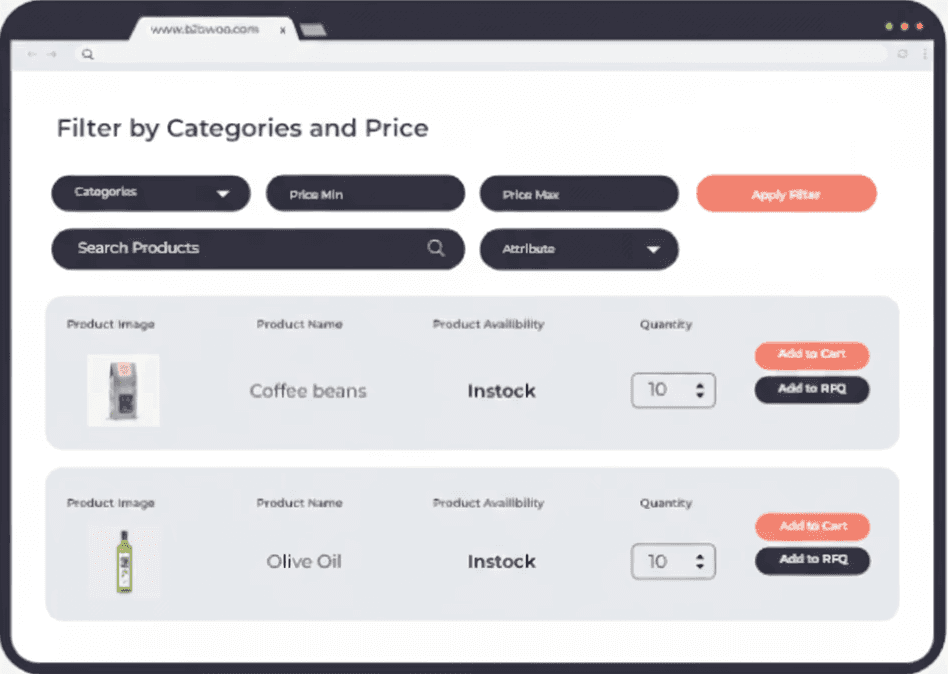
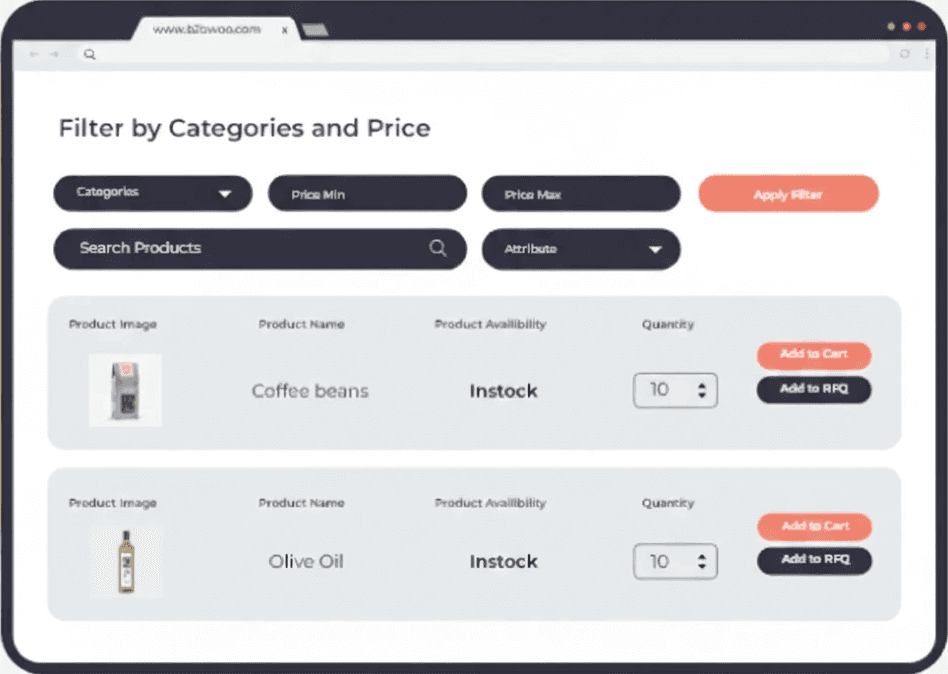
Instant Product Discovery
Navigate through your product offerings with our smart filtering options. Whether it's by category, price, or even specific attributes, find what you need in a snap.
Customize Your Data Display
You know what's important to your buyers. Choose to showcase images, pricing, and even product reviews, or keep it minimalist. You have complete control over what information to display.
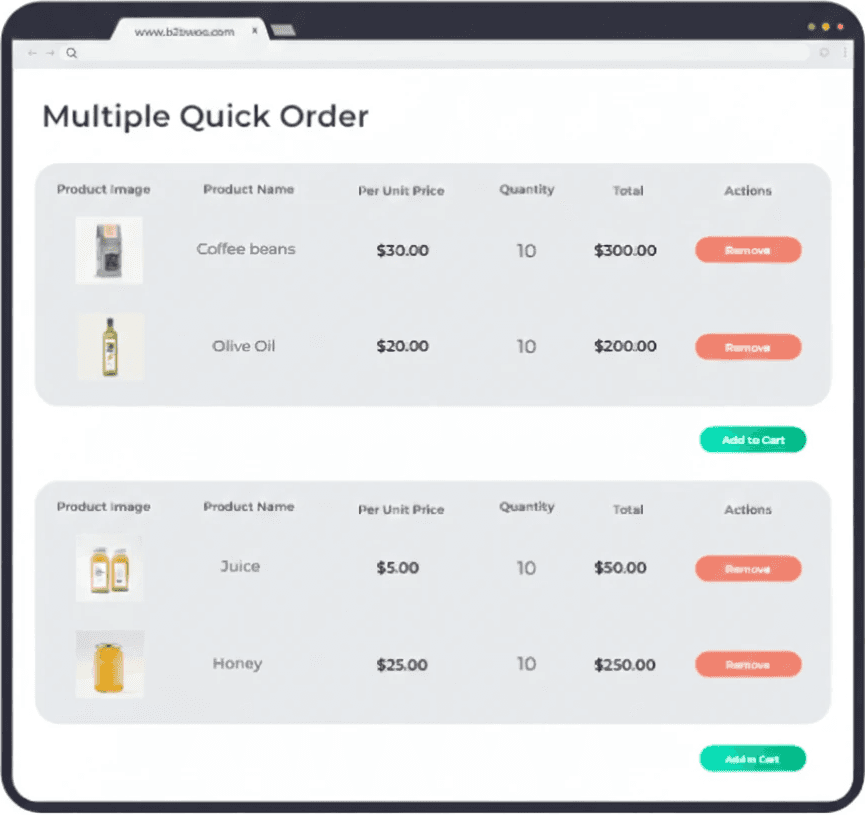
Quick Cart Actions for Busy Buyers
In B2B, we know every click counts. Enable buyers to select multiple products and add them to the cart in one swift action.
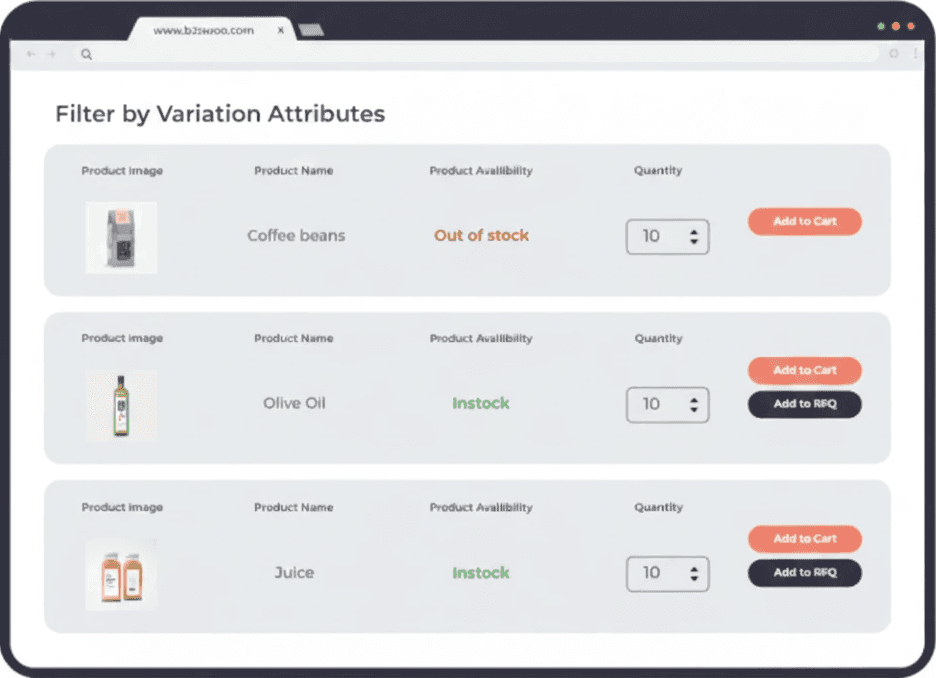
Display All Product Variations
Offering products with different specs? Make life easier for your buyers by displaying all variations through a simple dropdown menu.
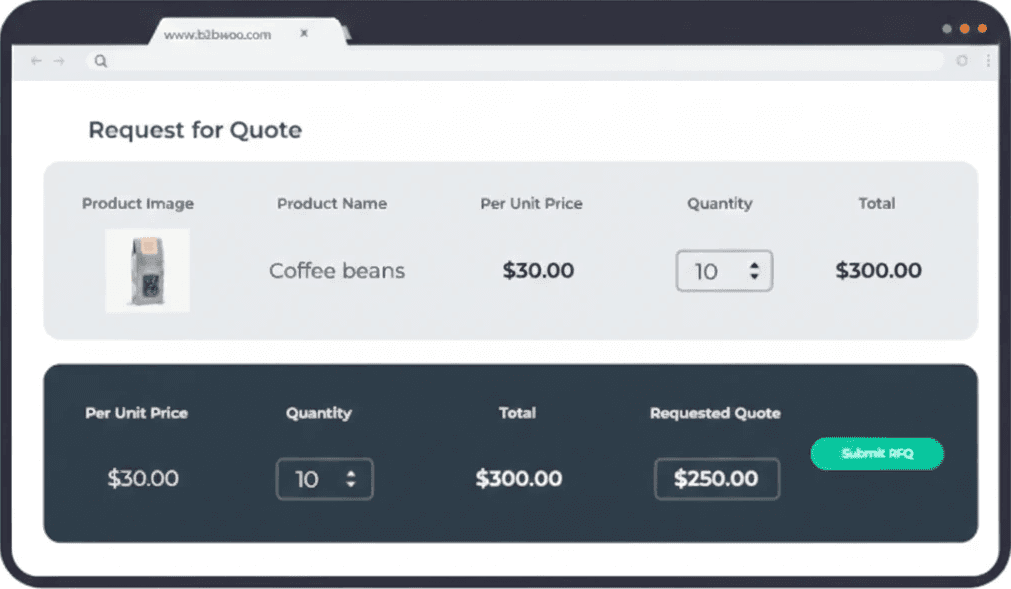
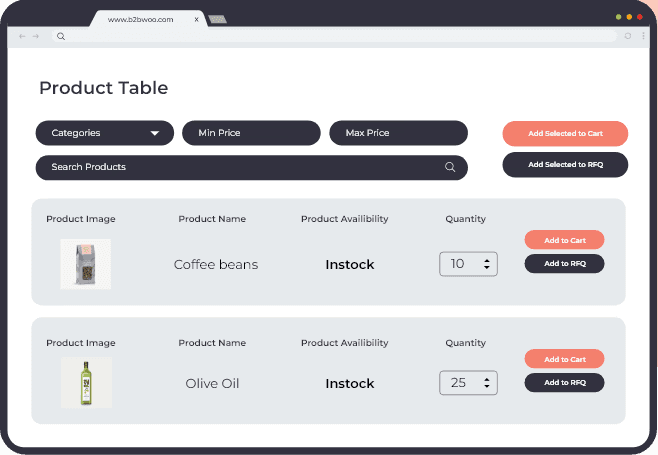
Bulk Quote Requests, Simplified
Bulk buying? Get bulk quotes. With our ‘Request for Quote’ feature, your buyers can effortlessly inquire about pricing for multiple products at once.
Tailored Product Tables
Different product lines require different approaches. Use our easy-to-use shortcode generator to create multiple, customized product tables for each of your unique product categories.
Instant Product Discovery
Navigate through your product offerings with our smart filtering options. Whether it's by category, price, or even specific attributes, find what you need in a snap.
Customize Your Data Display
You know what's important to your buyers. Choose to showcase images, pricing, and even product reviews, or keep it minimalist. You have complete control over what information to display.
Quick Cart Actions for Busy Buyers
In B2B, we know every click counts. Enable buyers to select multiple products and add them to the cart in one swift action.
Display All Product Variations
Offering products with different specs? Make life easier for your buyers by displaying all variations through a simple dropdown menu.
Bulk Quote Requests, Simplified
Bulk buying? Get bulk quotes. With our ‘Request for Quote’ feature, your buyers can effortlessly inquire about pricing for multiple products at once.
Tailored Product Tables
Different product lines require different approaches. Use our easy-to-use shortcode generator to create multiple, customized product tables for each of your unique product categories.
Instant Product Discovery
Navigate through your product offerings with our smart filtering options. Whether it's by category, price, or even specific attributes, find what you need in a snap.
Customize Your Data Display
You know what's important to your buyers. Choose to showcase images, pricing, and even product reviews, or keep it minimalist. You have complete control over what information to display.
Quick Cart Actions for Busy Buyers
In B2B, we know every click counts. Enable buyers to select multiple products and add them to the cart in one swift action.
Display All Product Variations
Offering products with different specs? Make life easier for your buyers by displaying all variations through a simple dropdown menu.
Bulk Quote Requests, Simplified
Bulk buying? Get bulk quotes. With our ‘Request for Quote’ feature, your buyers can effortlessly inquire about pricing for multiple products at once.
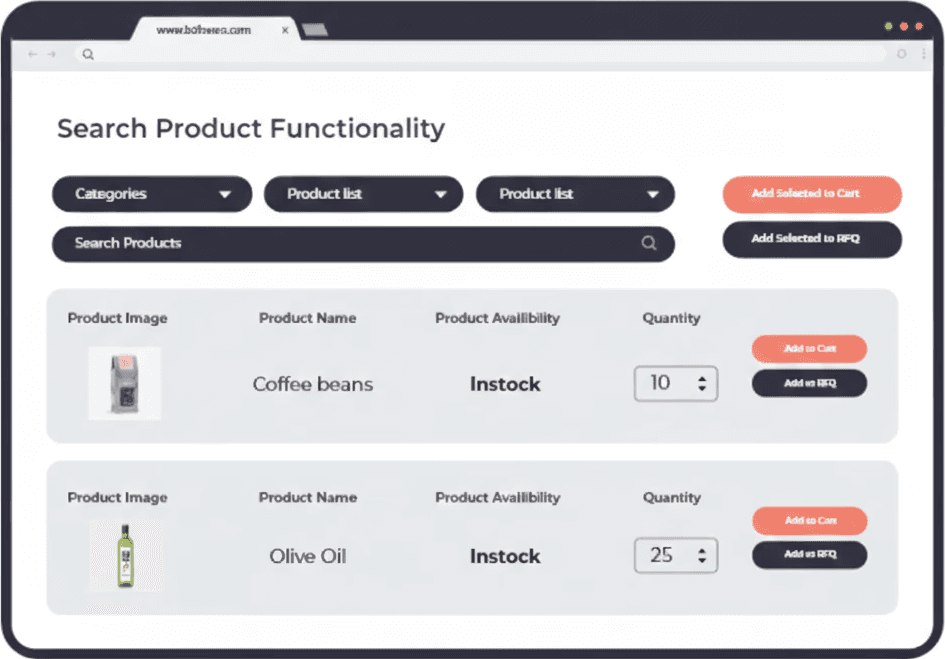
Powerful Search Functionality
The simple search bar enables users to easily search for products they require without any friction. They can search using product names, titles, or SKUs. The result displays thumbnails and displays product variations, so the user can effortlessly find what they need and place their order without any obstacles.
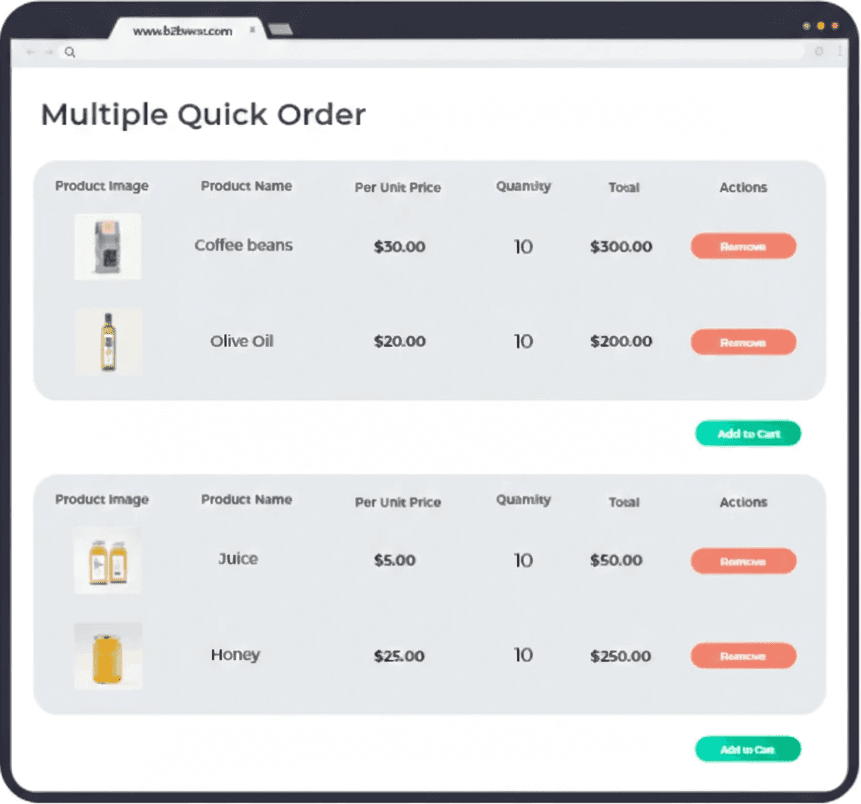
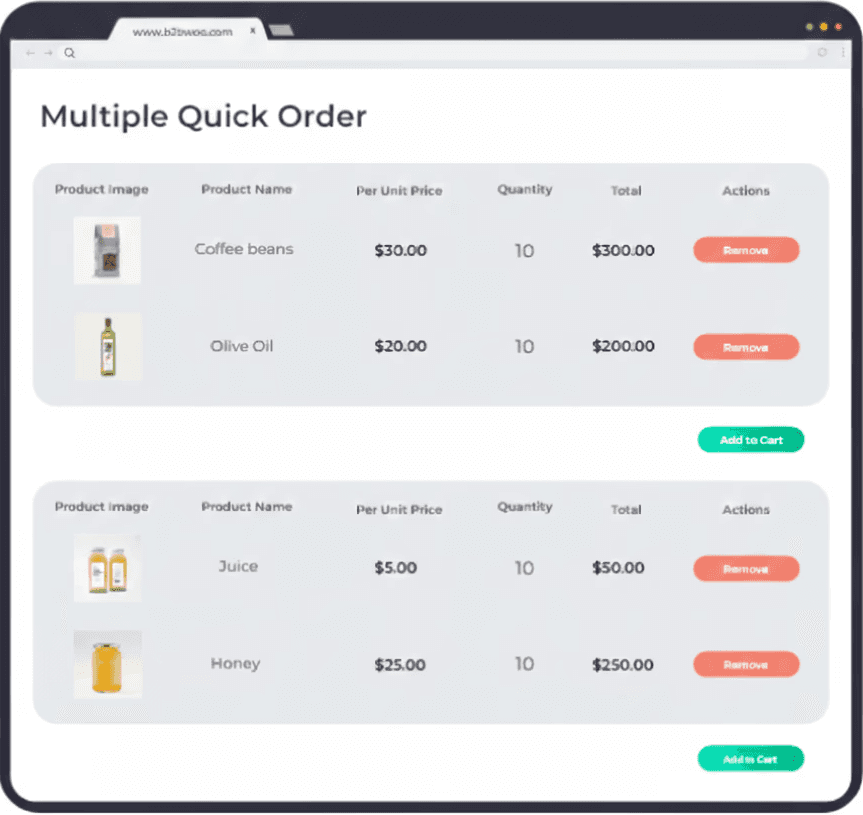
Create Multiple Quick Order Forms
Generate multiple unique bulk order forms that can be embedded on different pages.
Powerful Search Functionality
The simple search bar enables users to easily search for products they require without any friction. They can search using product names, titles, or SKUs. The result displays thumbnails and displays product variations, so the user can effortlessly find what they need and place their order without any obstacles.
Create Multiple Quick Order Forms
Generate multiple unique bulk order forms that can be embedded on different pages.
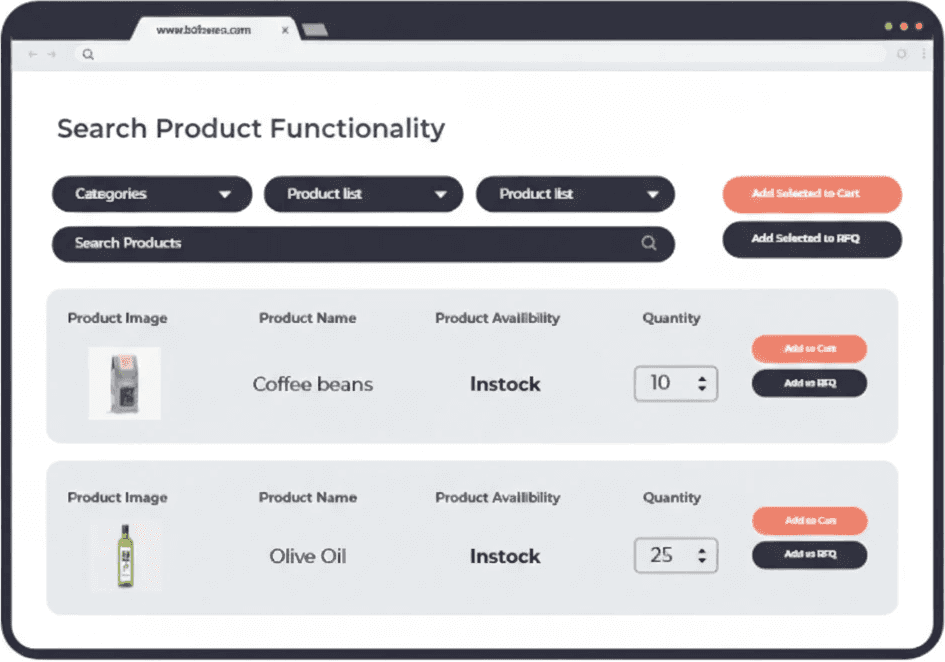
Powerful Search Functionality
The simple search bar enables users to easily search for products they require without any friction. They can search using product names, titles, or SKUs. The result displays thumbnails and displays product variations, so the user can effortlessly find what they need and place their order without any obstacles.
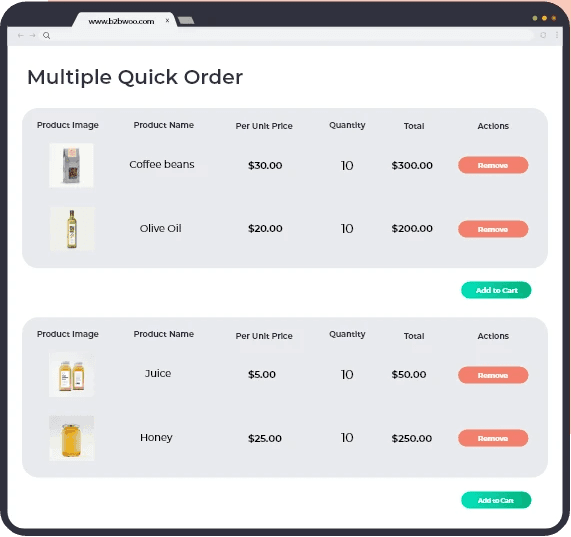
Create Multiple Quick Order Forms
Generate multiple unique bulk order forms that can be embedded on different pages.
✢ CONSULTATION
Schedule a Demo to see Extend Commerce in action
Book a demo to explore your use case and see our solutions in action.