
✢POS for B2B
Wholesale orders through Shopify POS
A Shopify POS extension that turns the counter into a B2B order desk — select the company, apply its pricing and quantity rules, and create a tagged order with a PO number and delivery option, without leaving POS.
✢Watch it work
 Extend POS for B2B Demo2:30
✢The gap
Shopify POS is built for retail. It has no way to apply a company’s pricing and quantity rules, take a PO number, or leave an order unpaid on terms — so reps write orders down and key them in later, or ring them up at the wrong price.
✢What it does
- Runs inside the Shopify POS app — no separate hardware or system
- Select the buyer's company and location; their catalog pricing and volume discounts apply automatically
- Min, max and increment quantity rules are checked as items are added, before checkout
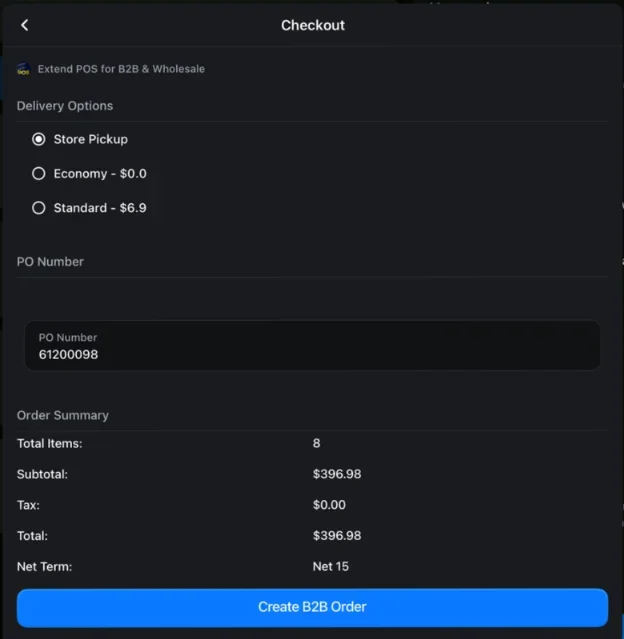
- Capture a PO number and choose a delivery option, or default to store pickup
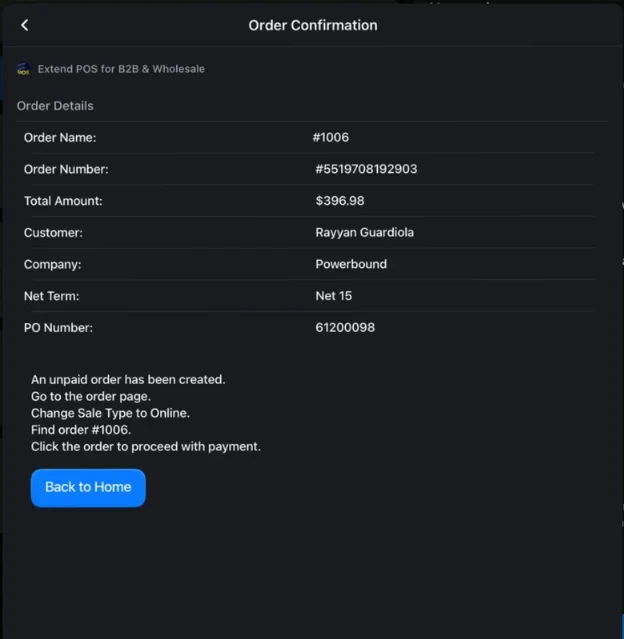
- Create the order unpaid, for payment on terms later
- Orders are auto-tagged for reporting and fulfilment, with optional order metafields at checkout
✢Screenshots
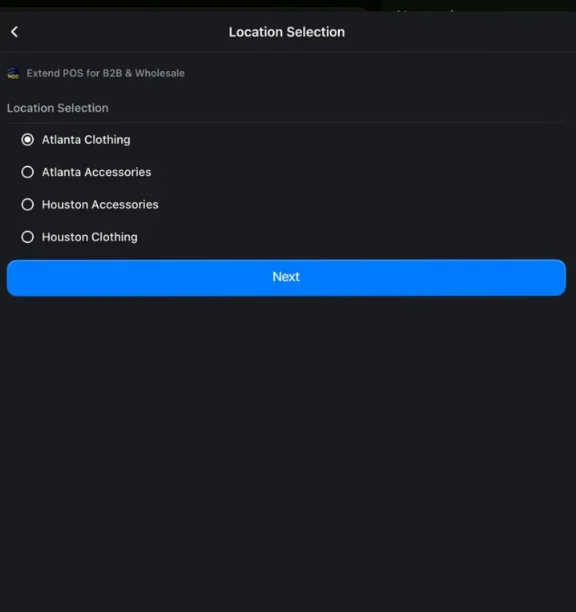
1Pick the locationSearch for the customer, then choose their company location at the counter.
2Then add productsPrices follow the location's catalog, and quantity-rule breaks are flagged as you go.
- 1Pick the locationSearch for the customer, then choose their company location at the counter.
- 2Then add productsPrices follow the location's catalog, and quantity-rule breaks are flagged as you go.
✢How it works
- 01Customer
- 02Location
- 03Products
- 04PO and delivery
- 05Unpaid order
At the counter
- Open the B2B Order tile and search for the customer, then pick their company location
- Add products — prices follow the location’s catalog, and quantity-rule breaks are flagged as you go
- At checkout, choose the delivery option set for that company, or store pickup, and enter the PO number
- Create the B2B order — it lands in Shopify unpaid, ready for payment or receipt later
Settings
- Global, pickup and shipping tags applied to every B2B order automatically
- Order metafields (date, text or choice list) collected at POS checkout
- Staff access controlled through Shopify’s own POS and app permissions
✢Best for
- Omnichannel brands with physical stores that also run a wholesale programme
- Merchants whose reps take wholesale orders in person — at trade shows, showrooms or retail locations
- Any merchant running wholesale in-store today with workarounds: manual invoices, separate systems, or retail pricing corrected afterwards
✢Requirements
- Shopify Plus and Shopify POS Pro
- B2B customers set up as companies with location assignments
✢Price
15-day free trial
$199/month
$1,999/year
✢Review
We needed a solution for processing orders for B2B customers at our store location on POS. We needed some changes to the way the app allocated inventory and also needed a field to add the PO number. The team at Codup responded instantly and made the changes.
✢Ready to see it?
Get POS for B2B running on your store.
Try Quick Order and the configurator in our demo store →
15-day free trial on the Shopify App Store
✢Works well with
- B2B Credit Limits — Its POS tile checks the account’s credit before the order goes through.
- B2B Onboarding — Its POS tile registers a new company at the counter.