
✢Quick Order
Bulk ordering via tables, variants and CSV
A bulk ordering tool that lets B2B buyers place large, multi-SKU orders quickly — through product tables, variant tables on product pages, or CSV upload.
✢Watch it work
 Extend B2B Quick Order Demo4:19
✢The gap
Shopify's storefront is built for retail carts — one product at a time. A wholesale buyer reordering 200 SKUs has to add each one individually, which is why so many of these orders still arrive as spreadsheets by email.
✢What it does
- Product tables show many SKUs and variants on one page, with quantities entered across the whole table
- Variant tables surface every option on the product page, so buyers never navigate variant by variant
- CSV upload turns an entire order into one file — SKUs and quantities, straight into the cart
- Search, filter and sort across a large catalogue without leaving the ordering screen
- Product and variant metafields shown as table columns, so buyers see the data they order by
- Works with Shopify B2B Catalogs and Markets — the buyer's own pricing, quantity rules and volume breaks apply
✢Screenshots
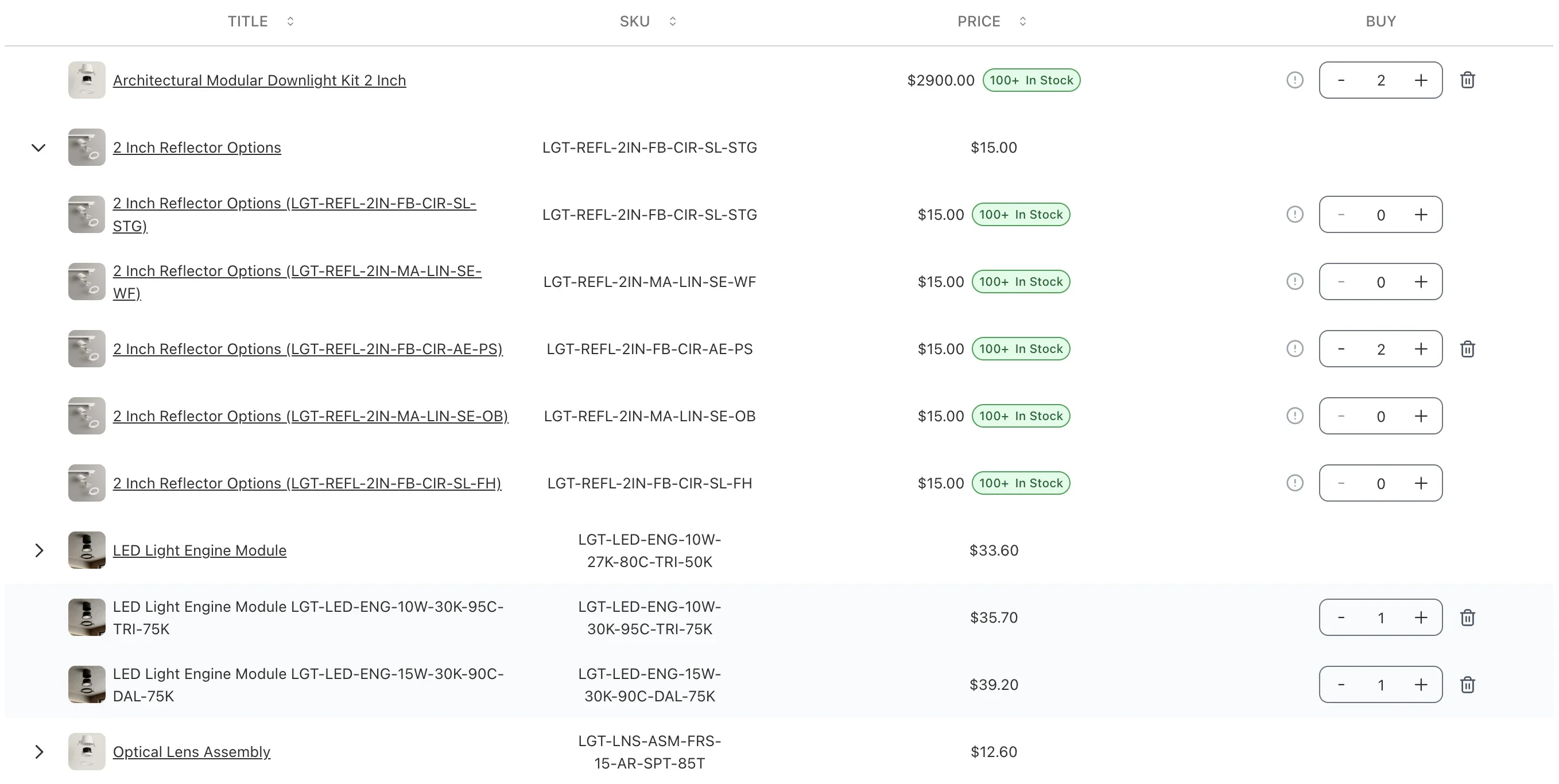
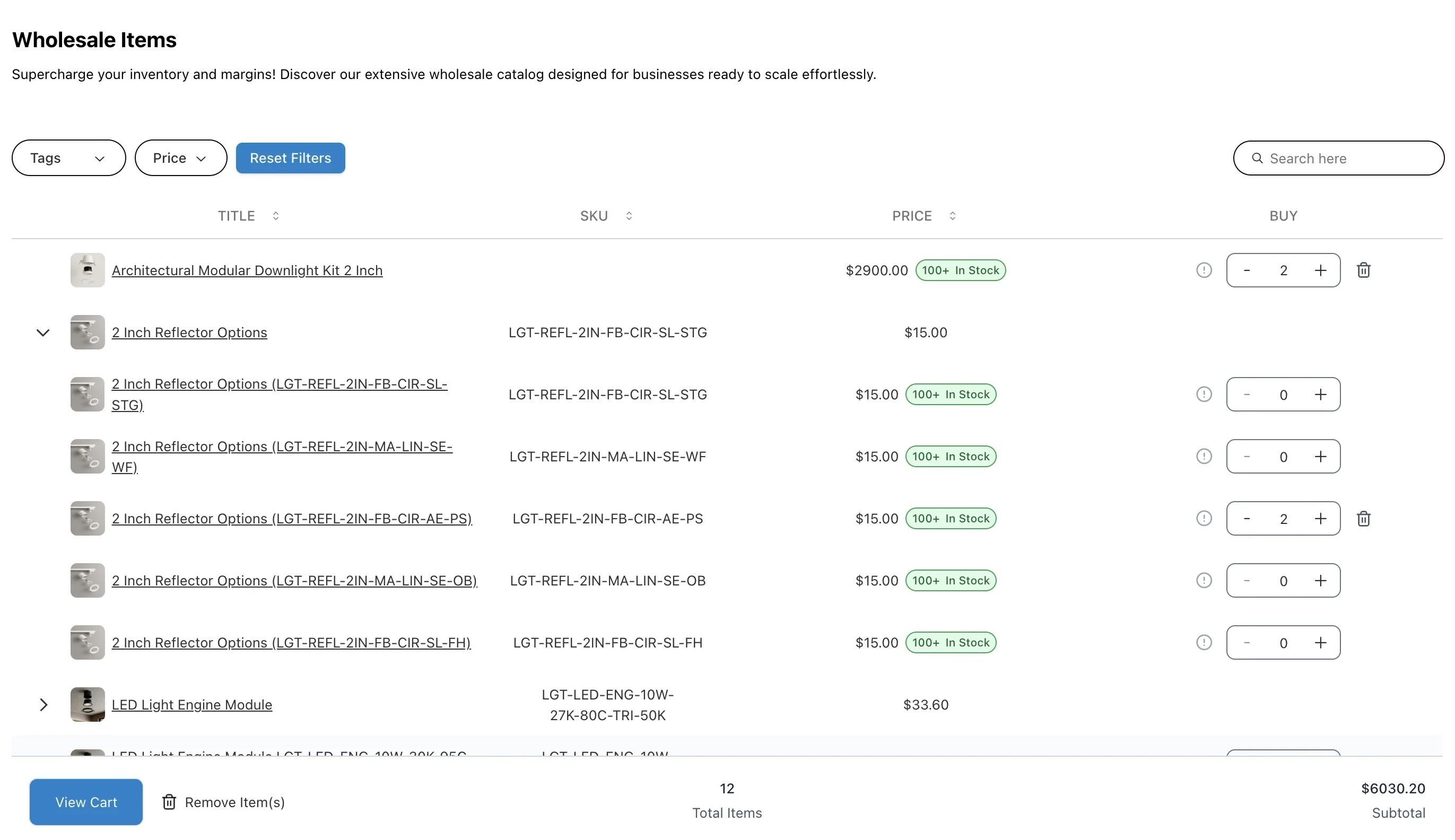
1Variants in rowsOpen a product to order each variant on its own line.
2Quantities down the tableEnter quantities across many SKUs and variants on one page.
3Cart edits in placeChange or remove cart lines without leaving the table.
- 1Variants in rowsOpen a product to order each variant on its own line.
- 2Quantities down the tableEnter quantities across many SKUs and variants on one page.
- 3Cart edits in placeChange or remove cart lines without leaving the table.
✢How it works
- 01Buyer
- 02CSV or table
- 03Rule check
- 04Cart
Three ways to order
- Quick order page: CSV upload only, CSV plus table, or table only
- Product tables: any collection, embedded anywhere in the theme, with your choice of columns and filters
- Variant table: every variant of a product in one grid on the product page
CSV ordering
- Logged-in B2B buyers download a personalised catalogue as the template
- Upload a file or paste “Variant ID, Quantity” lines; semicolon-separated files work too
- A review screen flags quantity-rule problems before anything reaches the cart
- Send the buyer straight to cart or checkout after upload
✢Best for
- Merchants with repeat wholesale buyers who already know what they want and need to get the order in fast
- B2B stores with large catalogues, where browsing product pages one at a time wastes the buyer’s time
- Merchants whose buyers currently email lists, call in, or send spreadsheets to a sales rep
✢Requirements
- Catalog pricing, quantity rules and volume breaks need Shopify Plus with B2B catalogs
- CSV orders are capped at 500 line items, Shopify’s per-order limit
✢Price
7-day free trial
$199/month
$1,499/year
✢Review
The quick order functionality makes it much easier for our wholesale customers to place bulk orders without having to go through individual product pages.
✢Ready to see it?
Get Quick Order running on your store.
Try Quick Order and the configurator in our demo store →
7-day free trial on the Shopify App Store
✢Works well with
- B2B Credit Limits — Keeps large self-serve orders inside each account’s credit ceiling.
- Shared Carts — Several buyers at one company build the order together before it is submitted.
- B2B Onboarding — New wholesale accounts are approved and ordering in bulk from the first visit.